
Get 24/7 Assistance
If you require technical support for any of the OpenFox® products, please complete the form below and we will get back to you as soon as possible.
"*" indicates required fields
Sign Up for SMS Service Notifications
Existing customers can opt in to receive non-promotional SMS service notifications through our authenticated Jira customer-support portal.
SMS notifications may include updates about:
- Your queue status
You cannot enroll through a public website, telephone call, email, purchased list, or third party. Completing the process requires an authenticated Jira support ticket and your explicit written consent.
Before you begin
You will need:
- Access to your authenticated Jira customer-support portal
- A support ticket associated with your customer account
- The mobile number you want to enroll
Your initial request does not enroll your mobile number. You must wait for a support representative to provide the required disclosure and then reply using the confirmation template shown below.
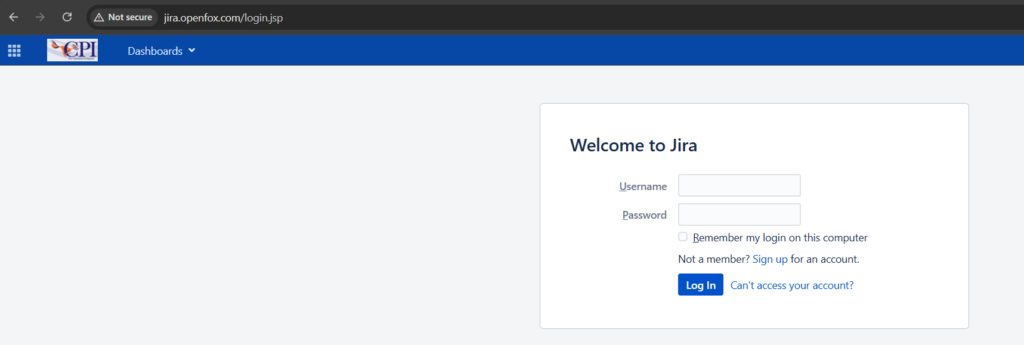
1. Open your Jira support ticket
Sign in to the authenticated Jira customer-support portal and open a support ticket associated with your account.
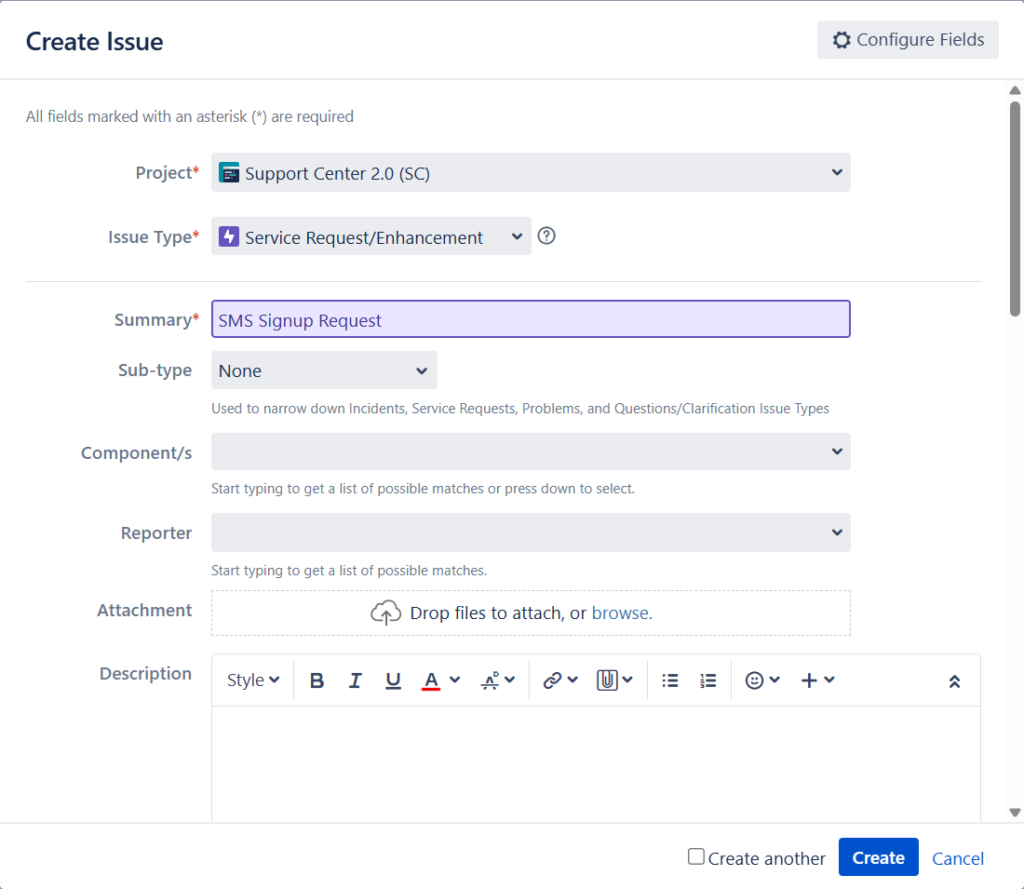
You may use an existing support ticket or create a new ticket, depending on your organization’s support process.
2. Request SMS service notifications
Post a comment in your Jira support ticket asking to receive SMS service notifications. Include the mobile number you want to enroll.
You can use the following template:
I would like to receive SMS service notifications at [PHONE NUMBER].
Replace [PHONE NUMBER] with the complete mobile number you want to enroll, including the area code.
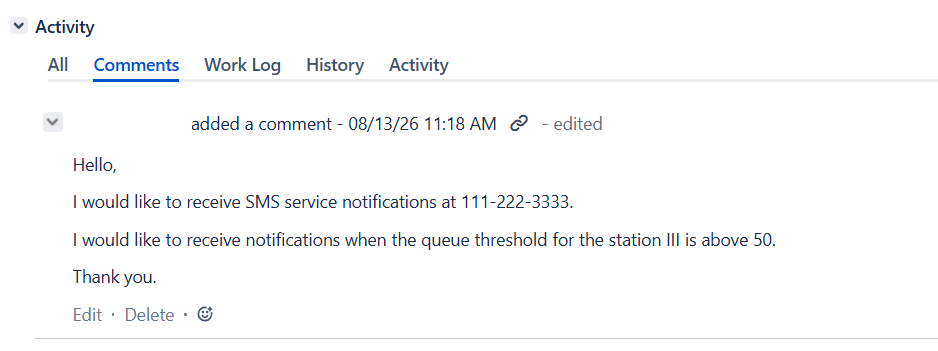
Submitting this request does not complete enrollment. Do not assume that your number has been enrolled at this stage.
3. Review the SMS disclosure
A support representative will reply in the same Jira ticket with the following disclosure:
Please confirm that you agree to receive SMS service notifications from CPI at [PHONE NUMBER]. Messages may include updates about your service status and queue status. Message frequency varies based on your support and service activity. Message and data rates may apply. Reply STOP to any text to unsubscribe or HELP for assistance. Consent applies only to non-promotional service notifications from CPI. Terms of Service: https://www.openfox.com/terms-of-service/. Privacy Policy: https://www.openfox.com/privacy-policy/.
Before responding, confirm that:
- The displayed mobile number is the number you want to enroll.
- You understand what types of notifications you may receive.
- You have reviewed the linked Terms of Service and Privacy Policy.
- You agree to the message-frequency and potential carrier-rate terms.
- You understand how to unsubscribe or request assistance.

4. Confirm your consent using the required template
If you agree to the disclosure, post the following response in the same Jira ticket:
Yes, I agree to receive these SMS service notifications at [PHONE NUMBER].
Replace [PHONE NUMBER] with the same mobile number shown in the support representative’s disclosure.
Your response must clearly and affirmatively confirm your consent. An initial request, an unclear response, or the absence of a response will not result in enrollment.
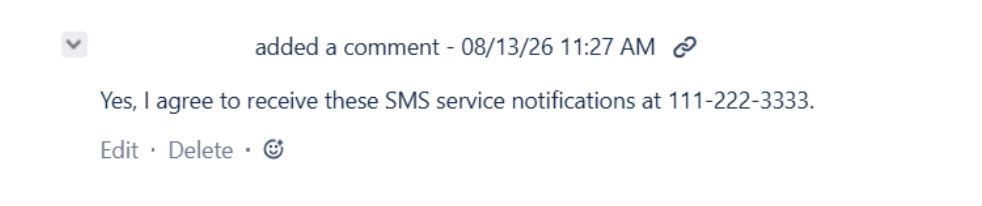
Do not provide your confirmation through email, a telephone call, another customer’s ticket, or a public form. It must be posted by you in your authenticated Jira support ticket.
5. Wait for enrollment confirmation
After receiving your affirmative confirmation, a software engineer will review the Jira ticket and enroll the mobile number.
The engineer will not enroll the number unless the ticket contains:
- Your authenticated customer identity
- The mobile number you requested
- The complete SMS disclosure
- Your affirmative confirmation
- The date and time of your consent
- The purpose of the notifications
- The support representative handling the request
The Jira ticket remains the internal record of your consent.
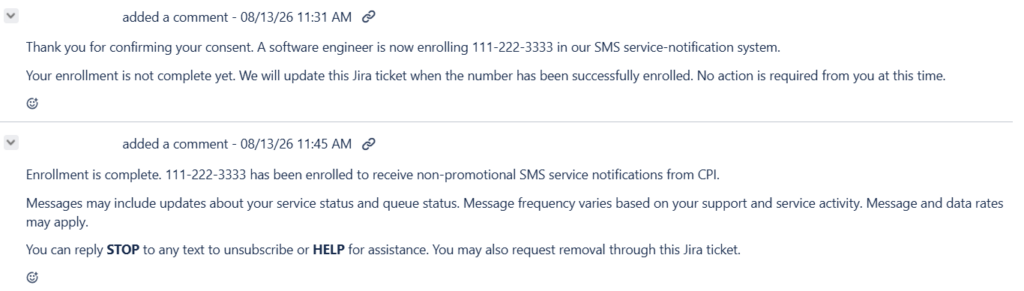
6. Receive SMS service notifications
Once enrollment is complete, you may begin receiving non-promotional service notifications related to your service status, queue status, and support activity.
Message frequency varies based on your support and service activity. Message and data rates may apply.
Stop receiving notifications
You can revoke your consent at any time using either of these methods:
Reply by text
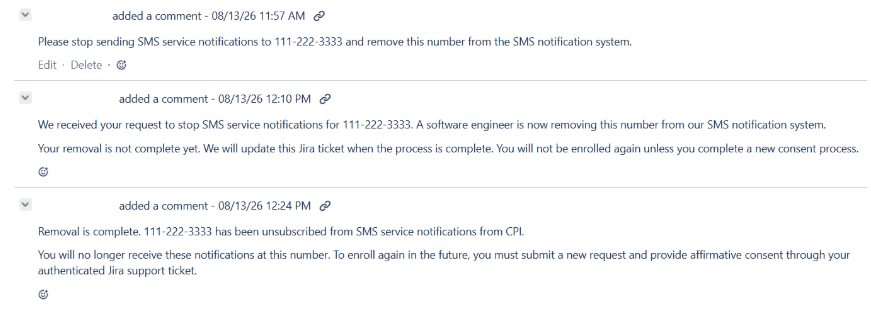
Reply STOP to any SMS service notification. You may receive a final message confirming that you have been unsubscribed.
Request removal through Jira
Sign in to the authenticated Jira customer-support portal and post a removal request in your support ticket.
You can use the following template:
Please remove [PHONE NUMBER] from SMS service notifications.
Get help
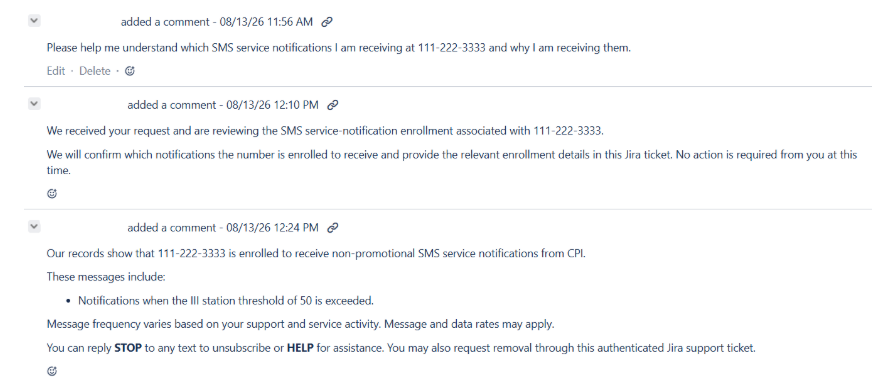
Reply HELP to an SMS service notification for assistance. You may also request help through your authenticated Jira support ticket.
For security, only post enrollment or removal requests in a Jira ticket associated with your authenticated customer account.